Read your agents as answers, not scrollback.
Simple mode is how Ownlight shows a coding agent without its terminal. Each turn reads top to bottom: what you asked, one line for how it went, the answer, and a card for everything the agent made. The terminal is still there, one key away.
Simple mode is in Free, with three agents at once. Apple silicon Macs, 64-bit Windows 10 or 11 and 64-bit Linux.
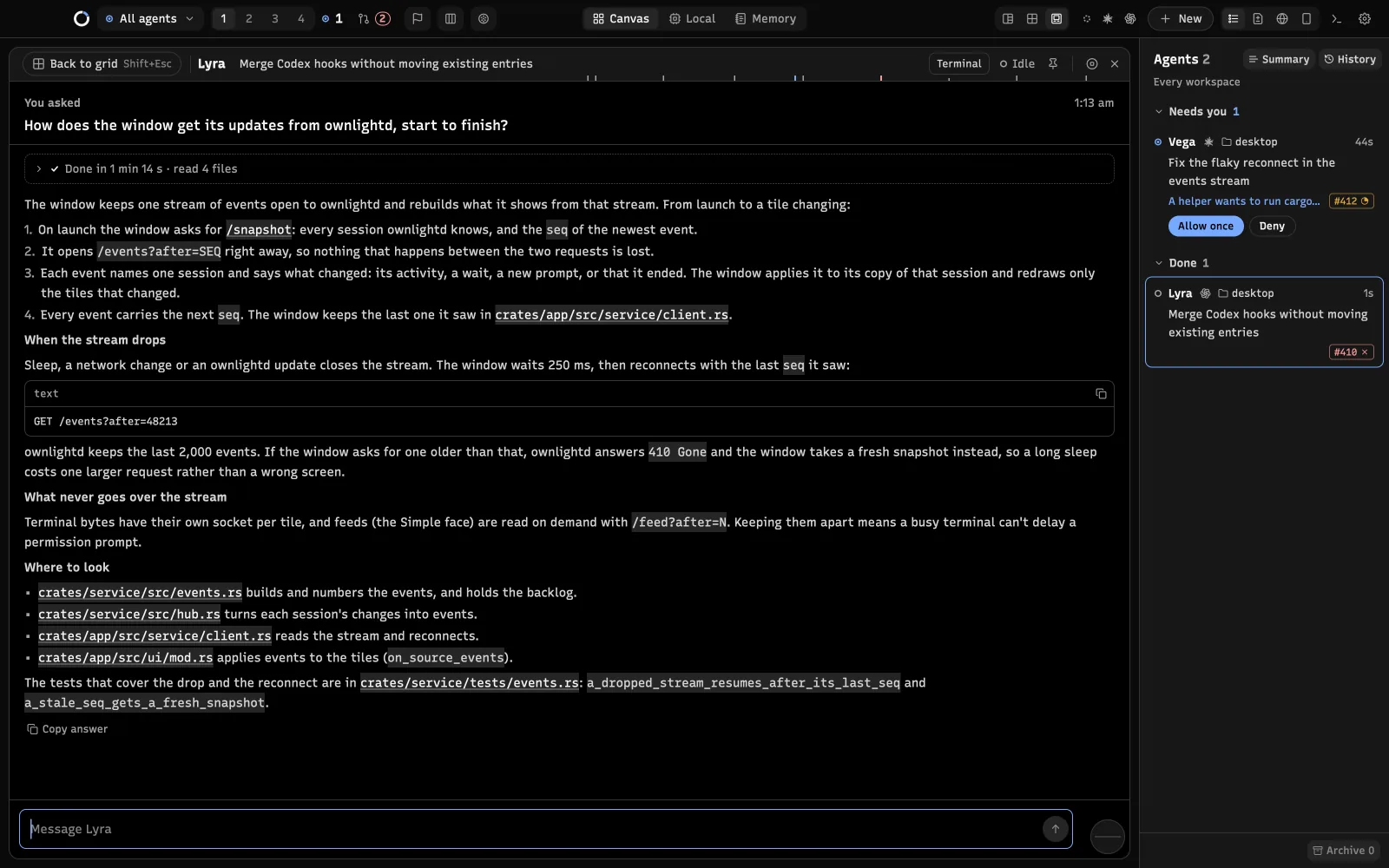
What a turn looks like
A terminal shows everything an agent printed, in the order it printed it. Simple mode shows the turn:
- What you asked, with its time, kept at the top while you scroll the answer.
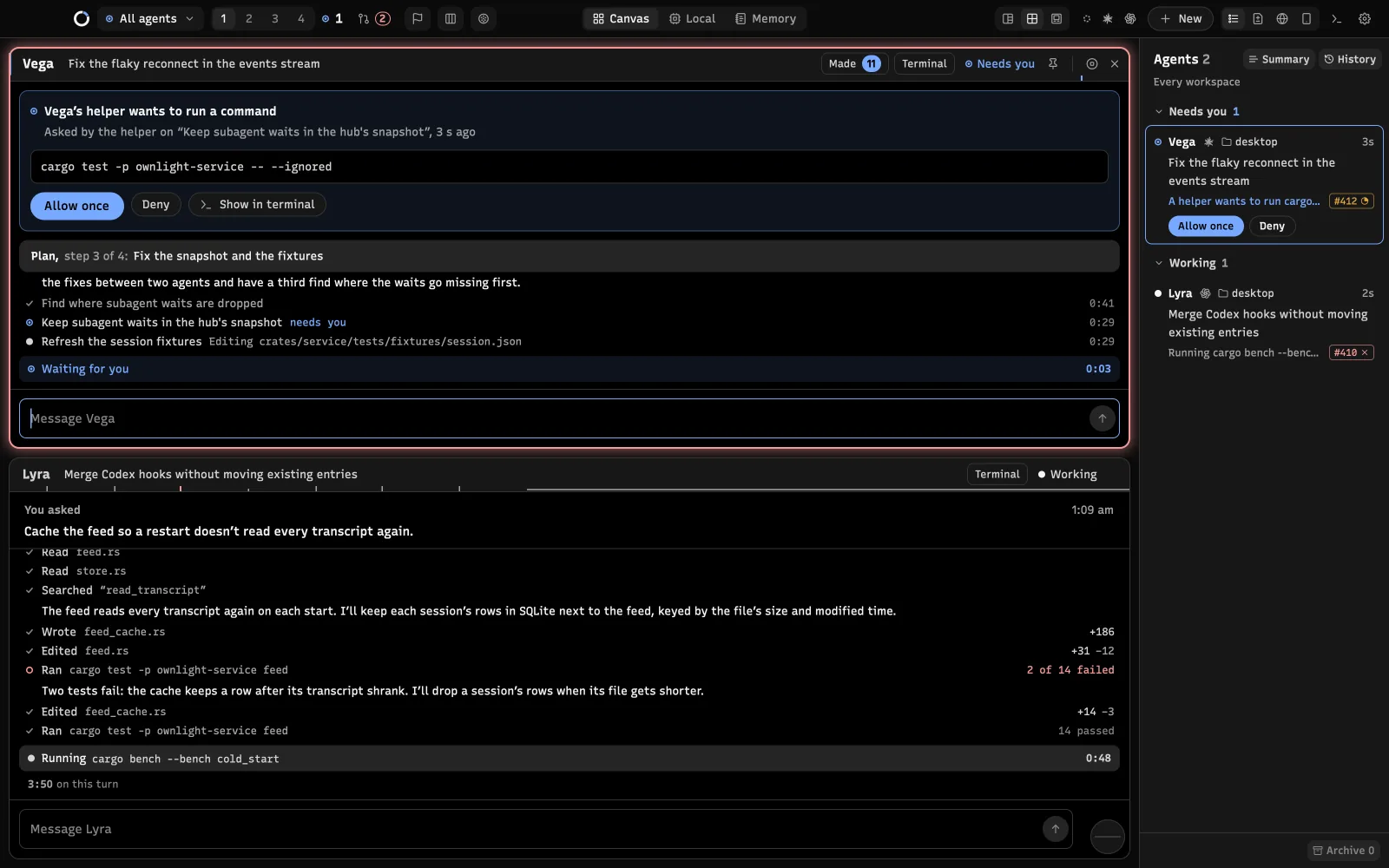
- One line for how it went. “Working for 3 min” while it runs, then “Done in 6 min 12 s”, “Stopped after 40 s” when it ended on a failure, or “Stopped by you after 40 s” when you pressed Esc. The same line counts what the agent did: files read, commands run, helper agents started. Open it to see every step.
- The answer as formatted text: headings, lists, tables and code blocks, with file paths and links you can click.
- The checks it ran, such as a test run and how many tests passed.
- A card for each thing it made.
Everything it made is one click away
Under each answer, Made in this turn lists what the turn produced: code and documents the agent wrote or edited, web pages, screenshots, a dev server it started, pull requests it opened, links and folders. A card opens in a viewer inside the agent’s tile, beside the conversation when the tile is wide enough. A video opens in a panel beside the canvas instead, where the Browser opens, so you can watch it at any size while you tell the agent what to change.
The viewer has a mode for each kind of thing: Read and Changes for Markdown, Preview and Code for a web page, Changes and Code for source files, and the page itself for a running app, a link or a pull request. An open file reloads when it changes on disk. Made in the title bar counts every item and opens the full list.
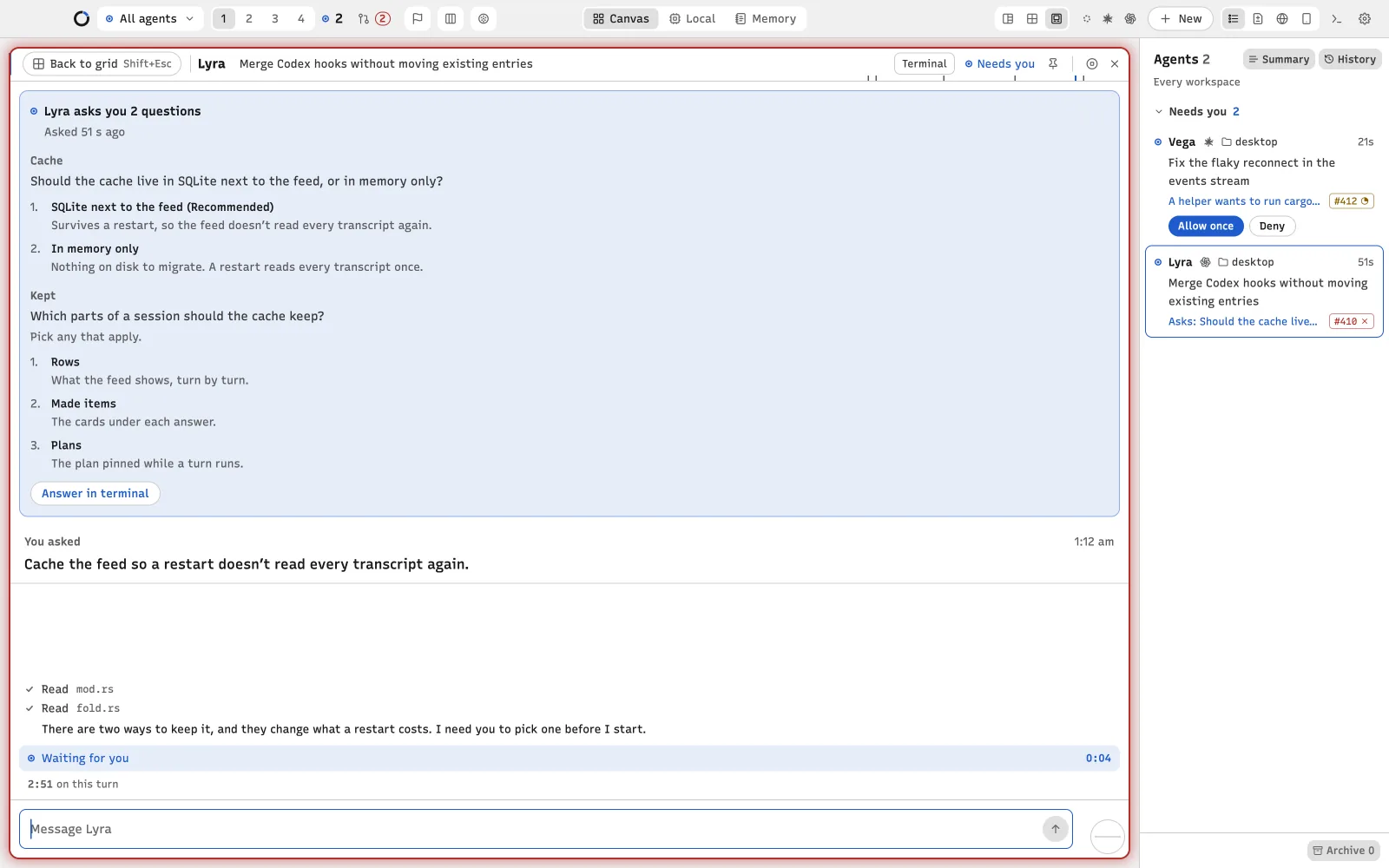
Questions and permissions come to the top
When an agent wants permission to run a command or edit a file, the request pins itself above the conversation with Allow once and Deny, even when a helper agent asked. When Claude Code asks you questions, Simple mode shows every question with each option and what it means, numbered the way the terminal numbers them, and a button that opens the terminal to answer.
The terminal is one key away
Simple mode and the terminal are two views of the same live session. Press Cmd+R on a Mac, or Ctrl+Shift+R on Windows, and every agent flips to its terminal; press it again to come back. Switching never restarts the agent, resizes its terminal or types anything into it. What you send from Simple mode’s message box is typed into the terminal for you.
No model in between, and no tokens spent
Simple mode reads the transcript your agent already writes on your computer, and the events it sends to Ownlight. Fixed rules decide what to show, so nothing is summarised or rewritten by another model, and reading a turn costs nothing. If a new version of an agent writes a transcript Ownlight can’t read yet, Simple mode says so and you keep the terminal.
Copy, tables and commands
Select any text in a turn and copy it. Code blocks, tables and whole answers have their own Copy buttons, and a table pastes into a spreadsheet as a table. A command in an answer has Run in terminal, which opens a new terminal beside the agent with the command typed in, waiting for you to press Enter.
Which agents it reads
Claude Code, Codex, opencode, DeepSeek Harness, Grok Build, Gemini CLI and Antigravity, on the same canvas. For agents running on another machine over SSH, which is part of Pro, Simple mode reads Claude Code and Codex. See Claude Code in Ownlight and Codex in Ownlight.
The Ownlight iPhone app, also part of Pro, shows the same turns with the same cards.
Questions
Does Simple mode change what my agent does?
No. The agent runs in its terminal exactly as before. Simple mode only reads what it writes, and types your messages and your Allow or Deny into the terminal for you.
Does it use my tokens or another AI?
No. It reads the agent’s own transcript on your computer with fixed rules. No model rewrites the answer, so reading a turn costs nothing.
Can I still see the terminal?
Yes. Cmd+R on a Mac or Ctrl+Shift+R on Windows flips every agent to its terminal and back, and each tile has a Terminal button.
Is Simple mode in the free plan?
Yes. Free includes the canvas, Simple mode, Archive and History, with three agents running at once.
See it on your own agents
Ownlight is free to download and free to use for three agents at once.